
Your Android phone holds your entire digital life—photos, messages, banking apps, and personal data. Yet most people still protect it with predictable patterns that can be cracked in seconds. That’s where a pattern lock generator comes in. This free online tool creates randomized, complex unlock patterns that would take hackers months to guess. Instead of manually swiping the same letter-shaped pattern you’ve used for years, you get a genuinely unpredictable lock in just one click. In 2026, pattern generators have evolved far beyond basic randomization, offering customizable complexity levels, practice modes, and visual guides that make strong security actually easy. Let’s explore how modern generators work and why they’re becoming essential for mobile security.
What Is a Pattern Lock Generator Online?
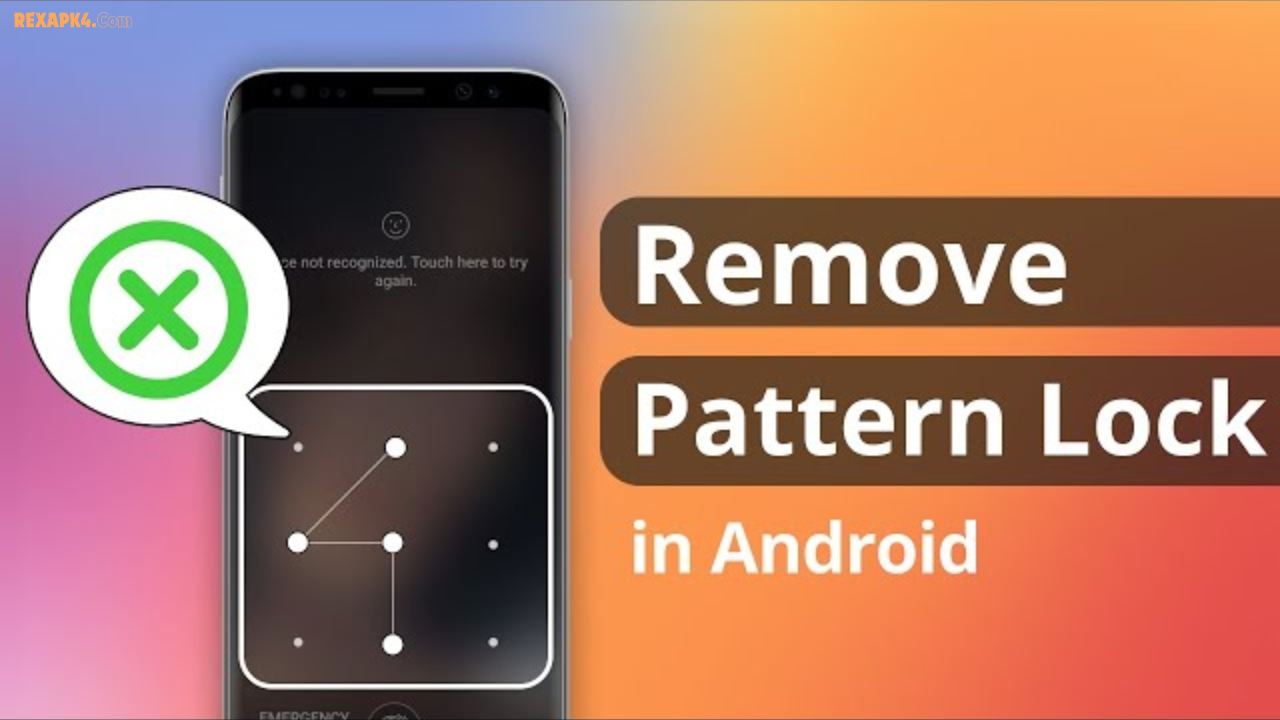
A pattern lock generator is a free, web-based tool that creates random, secure unlock patterns for Android devices. Think of it as your personal security assistant that designs lock patterns across a 3×3 grid of nine dots so you don’t have to.
When you unlock an Android phone the traditional way, you manually swipe across that nine-dot grid to create a pattern. The problem? Most people gravitate toward obvious shapes—the letter Z, an L, patterns starting from the top-left corner, or shapes based on their initials. Research shows that 44% of users begin their patterns from the upper left corner, and 77% start from one of the four corners. These predictable habits make phones vulnerable to educated guessing.
A pattern lock generator eliminates human bias entirely. It produces patterns that are genuinely random, statistically difficult to predict, and nearly impossible to guess through shoulder-surfing (watching someone enter their pattern). Since there are 389,112 possible combinations on a standard 3×3 grid, a well-generated pattern offers substantial security when created properly.
🔒 Pattern Lock Generator
Generate secure Android-style patterns for your device. Enter your mobile model for personalized suggestions.
Modern generators in 2026 do far more than just randomize dots. They let you set minimum and maximum path lengths, customize complexity levels, choose between beginner-friendly and expert patterns, and even show you how many possible combinations exist for your specific pattern. Many tools include visual step-by-step guides with arrows showing the exact connection sequence, plus practice modes where you can rehearse before setting it as your actual lock screen.
How Do Pattern Lock Generators Work? The Science Behind Secure Randomization
Pattern generators rely on what’s called randomization algorithms to create unpredictable sequences. Here’s what happens behind the scenes:
Random Node Selection: The tool selects nine dots randomly and determines which ones to connect. Unlike human brains, which follow recognizable paths, algorithms have no preference for corners or straight lines.
Validation Against Common Patterns: Advanced generators are programmed with research data about the most common patterns people create. The algorithm actively avoids these during generation, ensuring your pattern isn’t one of the predictable shapes researchers have already documented.
Connection Logic: The generator respects Android’s pattern rules—each dot can only be used once, lines cannot skip over unused dots in their path, and the entire pattern must form a connectable sequence.
Complexity Analysis: Some tools calculate the entropy (randomness score) of your generated pattern, showing you exactly how secure it is compared to average user-created patterns.
The beauty of this approach is that you get genuine randomness without any conscious effort. No more sitting for five minutes trying to remember which shape you drew or worrying that your pattern might be too simple.
Key Features & Benefits of Modern Pattern Lock Generators
The best online generators in 2026 offer a suite of features designed to make strong security accessible to everyone:
Instant Random Pattern Creation Click once and get a brand-new secure pattern. You’re not thinking, experimenting, or falling back on familiar shapes. One click produces patterns that would take researchers years to crack through brute force.
Customizable Complexity Levels Choose between beginner patterns (using 4-5 dots), intermediate patterns (6-7 dots), or expert patterns (8-9 dots). This means everyone—from casual users to security-conscious professionals—can find a sweet spot between memorability and protection.
Variable Path Length Settings Set minimum and maximum path lengths to match your security needs. If you want a pattern using all nine dots, you can specify that. If you prefer something simpler to remember, you can limit it to 5-6 dots minimum.
Visual Guides with Directional Arrows Every generated pattern comes with crystal-clear arrows showing exactly which dot connects to which. No confusion, no second-guessing the sequence.
Practice Mode for Muscle Memory Before committing to a pattern as your actual lock, many tools offer a practice section. You can rehearse drawing the pattern five, ten, or fifty times until it becomes second nature. This prevents you from locking yourself out of your own phone.
Unlimited Pattern Regeneration Don’t like what the generator produced? Click to generate another instantly. Keep generating until you find a pattern that feels comfortable to remember and enter quickly.
Entropy/Strength Calculator Some advanced tools show you the mathematical strength of your pattern—displaying how many possible permutations exist and comparing it to average user patterns. This transparency helps you make confident security choices.
Local Processing & Privacy The best generators don’t store or transmit your pattern data anywhere. Everything happens locally on your device, keeping your security completely private. You can refresh the page, close it, and your pattern never touched any server.
Cross-Device Compatibility Generate patterns on your desktop, tablet, or smartphone, then set them on your Android phone. The tool adapts to whatever device you’re using.
Why Most People Create Weak Patterns (And How Generators Fix This)
Security researchers from universities like Cornell, NTNU, and companies like ESET have published extensive studies on why pattern locks fail. Their findings are sobering but important:
Humans Are Predictable We naturally gravitate toward memorable shapes—letters, numbers, geometric forms. While this makes patterns easier to remember, it also makes them easier to guess. A 9-dot pattern with letters like Z, S, L, or P accounts for massive percentages of real-world locks.
Corner Dominance Bias Research consistently shows that 77% of users start their patterns from one of the four corners. When attackers know you’re starting from a corner, they’ve already eliminated 5 of 9 possible starting points. That’s a 55% reduction in the search space before they’ve even tried to guess the rest.
Short Patterns Limit Combinations Most people create patterns using only 4-5 dots. While this feels easier to remember, it drastically reduces security. A 4-dot pattern has only 3,024 possible combinations—something a determined attacker could brute-force in hours.
Visible Finger Movements Even if someone doesn’t watch the exact dots, distinctive finger movements and swiping patterns are remarkably easy to track with a quick glance.
Smudge Attacks Researchers have demonstrated that the oily residue from your fingertips can leave visible marks on your screen, showing the exact path you swiped. Modern phones have reduced this vulnerability, but it remains a real concern for high-risk users.
Pattern lock generators sidestep every single one of these vulnerabilities by replacing human intuition with statistical randomness. A properly generated pattern using 8-9 dots with multiple crossovers and non-obvious starting points eliminates all the predictability that researchers identified.
Pattern Lock Generator vs. Alternative Security Methods: A Comparison
You have several options for securing your Android phone. Here’s how pattern locks stack up against the alternatives:
| Security Method | Pros | Cons | Best For |
|---|---|---|---|
| Pattern Lock | Easy to use, faster than typing long passwords, memorable with practice, visually intuitive | Less secure than complex passwords, vulnerable to observation, limited to Android | Users who prioritize convenience without sacrificing all security |
| PIN (4-6 digits) | Universally supported, simple to understand, quick to enter | Only 10,000 possible 4-digit combinations, easily guessable if basic | Older devices, backup security layer |
| Complex Password | Extremely secure when using upper/lowercase, numbers, and symbols | Takes longer to enter, easy to forget, tedious on mobile keyboards | High-security apps like banking, requires backup storage |
| Fingerprint Unlock | Extremely secure, fast, can’t be guessed or observed | Requires compatible hardware, doesn’t work with wet/dirty fingers, fails for people with certain disabilities | Primary unlock method for modern Android phones |
| Face Recognition | Convenient, fast, works in most lighting | Security experts warn it’s less secure than fingerprint, can be spoofed | Secondary or convenient unlock (not recommended as primary) |
| Combination (Fingerprint + Complex Pattern) | Best of both worlds—fast primary method, strong fallback security | Slightly more setup time | Users who want maximum security with daily convenience |
The Expert Consensus: Security researchers from Kaspersky, Google, and major universities recommend fingerprint unlock for everyday use, backed up by a strong PIN code or password. However, if you prefer pattern locks, using a generator to create complex 8-9 dot patterns eliminates the weaknesses that make short, human-created patterns vulnerable.
Step-by-Step Guide: How to Use a Pattern Lock Generator (2026 Updated)
Step 1: Access a Trusted Generator Visit a reputable online pattern lock generator. Look for tools that don’t require app installation and clearly state they don’t transmit data.
Step 2: Set Your Complexity Preferences Choose how many dots you want your pattern to use. For high security, aim for 8-9 dots. For everyday use where convenience matters, 6-7 dots offers good balance.
Step 3: Review the Generated Pattern The tool displays your new pattern with numbered dots and directional arrows. Study it carefully. The arrows show you the exact sequence—which dot to which dot.
Step 4: Practice Mode Before setting this as your actual lock, use the practice section. Draw the pattern 5-10 times until it becomes muscle memory. You should be able to draw it quickly, smoothly, and from memory.
Step 5: Check Strength Metrics (Optional) If the tool displays a strength score or entropy calculator, review it. This helps you understand how secure your specific pattern is compared to average patterns.
Step 6: Set as Your Phone’s Lock Pattern Open Settings > Lock Screen & Security > Pattern Lock on your Android phone. Draw your generated pattern when prompted, then redraw it for confirmation. Tap Done.
Step 7: Verify It Works Lock your screen and practice unlocking it 3-5 times. This confirms you’ve memorized it correctly before you need to rely on it in daily life.
Pro Tip: Generate a backup pattern immediately and write it down in a secure location (like a password manager or encrypted note). If you ever forget your primary pattern, you’ll have a fallback option without needing to perform a factory reset.
Best Practices for Maximum Security: Expert Tips from 2026
Even with a perfectly generated pattern, how you use it matters tremendously for real-world security:
Use All 9 Dots When Possible Research shows that patterns using 8-9 dots are exponentially harder to crack than 4-5 dot patterns. Yes, they take slightly longer to draw, but we’re talking about 3-5 seconds extra. That’s a worthwhile trade-off for security.
Maximize Pattern Length and Complexity Don’t use the shortest possible pattern that the generator offers. The longer and more complex, the better. Each additional dot exponentially increases the number of possible combinations an attacker would need to try.
Create Multiple Crossovers Patterns with multiple crossovers (lines that overlap or intersect) are significantly harder for observers to track. If your pattern crosses over itself several times, someone watching you draw it would struggle to reconstruct it from memory.
Avoid Starting from Corners Since 77% of people start from corners, deliberately starting from a center or edge dot gives you an advantage. The generator should produce naturally varied starting points, so you get this automatically.
Change Your Pattern Regularly If you suspect someone may have observed your pattern, change it immediately. You should refresh your pattern every 3-6 months anyway as a security best practice. With a generator at your fingertips, this takes 30 seconds.
Don’t Reuse Patterns Across Devices If you own multiple Android phones or tablets, generate different patterns for each. Reusing patterns across devices means if one is compromised, they all are.
Practice Until It’s Automatic This might sound obvious, but muscle memory is crucial. You should be able to draw your pattern perfectly while distracted, half-asleep, or in any mental state. This prevents fumbling that might give away the sequence.
Turn Off the Visual Trail Indicator Android shows a bright green trail as you draw your pattern. While helpful for learning, it makes your pattern visible from across the room. In Settings, disable this visual feedback once you’ve memorized your pattern. (Note: Not all devices allow this, but check your settings.)
Never Use Patterns Based on Personal Information Avoid creating patterns that resemble your initials, birthday numbers, or meaningful shapes. If someone knows you well, they might guess these. A truly random generator ensures you’re never tempted by personal connections.
Treat Pattern Changes Like Password Updates When you generate a new pattern, treat it with the same care as you would a new password. Don’t share details of it with anyone, and don’t write down the exact sequence (though you can note “my new pattern is set” in a diary without details).
Common Mistakes Users Make (And How to Avoid Them)
Even with access to a great generator, users often sabotage their own security:
Mistake #1: Ignoring Practice Mode Some people generate a pattern and immediately set it, thinking they’ll remember it. Then they lock themselves out during setup and have to try five times to get it right. Use the practice section—it’s there for a reason.
Mistake #2: Choosing Shorter Patterns for “Convenience” You save 2-3 seconds by using a 4-dot pattern instead of a 9-dot pattern. But you sacrifice roughly 99% of your security. That calculation doesn’t add up. A 9-dot pattern takes maybe 5 seconds to draw.
Mistake #3: Setting It and Forgetting to Actually Remember It Generate a pattern, practice it once, set it, then immediately forget it because you only used it twice. Spend 2-3 minutes drawing it in practice mode repeatedly. That small investment prevents lockout headaches.
Mistake #4: Not Taking Advantage of Fallback Options Set up a backup PIN code alongside your pattern. If your pattern fails (biometric readers fail sometimes), you still have quick access to your phone without needing a factory reset.
Mistake #5: Believing Your Pattern Is Immune to Observation Even random patterns can be memorized if someone watches long enough. Vary how quickly you draw it, and periodically change it to make habit-tracking harder.
Mistake #6: Using the Generator Once and Never Again Generate a pattern, use it for a year, then assume it’s compromised. Actually periodically generate new patterns. Use the generator as a habit—refresh security every few months just like you should update passwords.
Pattern Lock Generator Features Comparison: What Makes Them Different?
Not all pattern generators are created equal. Here’s what distinguishes the best ones in 2026:
Berkeley Churchill’s Generator (Legacy Tool) Simple, no-frills approach. Generates random patterns without storing any data. Shows basic visualization. Good for purists who want minimal interface, though it lacks modern features like complexity sliders and strength indicators.
Lock Pattern Generator App (Google Play) Mobile app with variable path length settings, practice mode, and quick shortcut to Android Security Settings. Slightly better for on-the-go generation, but requires app installation. Free and open-source, so privacy-conscious users appreciate the transparency.
Smart2Pro Generator (Modern Web Tool) Contemporary online tool with adaptive complexity options, clear visual guides, entropy calculators, and explanations of security principles. Balances user-friendliness with detailed information. No installation required.
Custom Generator Tools Some security-focused websites embed pattern generators with additional features like batch pattern generation, customizable grid sizes, or integration with password managers.
Key Differentiators to Look For:
- Local processing only (no server transmission)
- Clear visual guides with numbered dots
- Practice mode included
- Complexity/strength indicators
- No app installation required
- Free to use indefinitely
- Mobile-responsive design
FAQ: Pattern Lock Generator Questions Answered
Q1: Is a pattern lock actually secure in 2026, or should I use something else?
Pattern locks are reasonably secure IF generated properly and used carefully. Research shows they’re less secure than fingerprint unlock or complex passwords, but they’re dramatically more secure than typical user-created patterns. Think of it this way: a user-created pattern might have 5,000 realistic combinations an attacker could guess; a generator-created 8-9 dot pattern has 350,000+ combinations, making brute-force attacks impractical. For maximum security, layer a pattern with fingerprint unlock. For everyday convenience, a generated pattern beats most alternatives.
Q2: Can the pattern I generate online be stolen before I set it as my lock?
Not from a properly-built generator. Trusted tools process everything locally on your device—the algorithm runs in your browser and never sends pattern data to any server. You can even use generators offline if you download them first. The risk comes after you set it, so keep it secret just like you would any password.
Q3: How many times should I practice before setting my generated pattern as my actual lock?
Practice until you can draw it correctly from memory at least 10 times in a row without looking at the guide. This typically takes 2-5 minutes. The goal is muscle memory—your fingers should know the sequence even when your brain is distracted. If you can’t do it consistently in practice mode, keep practicing before setting it.
Q4: What if I forget my generated pattern after I set it?
This is why backup options exist. First, you should have written down a backup pattern when you first generated it. Second, Android provides account recovery options (using your Google account) without losing data. Third, apps like iMyFone LockWiper or Dr.Fone can remove pattern locks without factory reset on some devices. Finally, you can always do a factory reset as a last resort, though you’ll lose data. Prevention is better—use the practice mode thoroughly.
Q5: Is it better to use a 9-dot pattern or keep it simple with 5 dots?
From a pure security perspective, 9 dots is far better. From a memorability perspective, 5 dots is simpler. Reality? A generated 9-dot pattern is only slightly harder to remember than a human-created 5-dot pattern because it’s randomized and you practice it. The generator removes the “hard to remember” excuse. Aim for 7-9 dots for good security-to-convenience ratio.
Q6: Can someone crack my generated pattern by looking at it?
Not easily. Properly generated patterns have no obvious shape or personal significance, and they use multiple crossovers that make them hard to visually memorize. But yes, an observer who watches very carefully could potentially memorize it. This is why you should periodically change your pattern and be cautious about who watches you unlock your phone.
Q7: Does changing my pattern frequently make it weaker?
No. Generating new patterns regularly is good security practice, similar to updating passwords. You’re not reusing weak patterns—you’re consistently using strong random ones. The only downside is the brief adjustment period as you learn the new pattern.
Q8: Which pattern generator should I use—web tool or mobile app?
Web tools are slightly better for privacy because you can see no installation is happening and easily verify the source code. Mobile apps are more convenient if you want to generate patterns while out and about. Either works fine as long as you use something reputable that explicitly doesn’t transmit data.
Q9: Is there a “universal pattern” that unlocks any Android phone?
No, and anyone claiming otherwise is selling you a scam. Each phone has its own unique pattern. However, there are unlock removal tools (for security recovery when you forget your own pattern), but these require technical knowledge or specialized software.
Q10: Should I use a pattern lock in 2026 or switch to fingerprint?
Fingerprint is more secure for primary unlock. But many users like pattern locks because they offer a balance of security and speed without hardware dependency. Best practice? Fingerprint for everyday unlock, complex pattern as backup. Or use a pattern alone if that’s your preference and you generate it properly.
The Latest Trends in Pattern Lock Security (2026 Update)
Mobile security has evolved significantly in recent years. Here’s what’s changing in pattern lock culture:
Increased Awareness of Weak Patterns Security researchers continue publishing studies showing weak patterns are common. This awareness is driving demand for generators—people want genuinely random patterns rather than shapes they consciously design.
Integration with Multi-Factor Authentication Progressive Android apps now require pattern locks in combination with other factors (fingerprint, PIN, notification confirmation). This layered approach makes individual pattern strength less critical but still important.
Improved Randomization Algorithms Generators are using more sophisticated algorithms that don’t just pick random dots, but actively avoid statistically common patterns that researchers have identified.
Privacy-First Tools As privacy concerns grow, more generators explicitly advertise local-only processing and open-source code so users can verify nothing is transmitted.
Biometric Integration While fingerprint unlock dominates, some devices still reserve patterns as critical backups. Quality pattern generation ensures these backups are actually secure.
Psychology-Informed Design Modern generators are applying cognitive research to create patterns that are strong yet memorable—balancing security with user experience in ways early generators didn’t.
Conclusion
A pattern lock generator is one of the simplest, most effective security upgrades you can make to your Android phone right now. In just 30 seconds—generating a pattern, practicing it briefly, and setting it—you’ve replaced a potentially guessable lock with one of 350,000+ combinations that’s virtually impossible to crack through guessing.
The beauty of this 2026 approach is that it removes the hardest part of the equation: creating patterns that are both random enough to be secure and memorable enough to use daily. Generators handle the randomness automatically, while practice modes handle the memorability.
Whether you’re protecting banking apps, sensitive photos, work emails, or just want basic privacy from friends and family, a generated pattern delivers genuine security without extra complexity. Combine it with good habits—changing it periodically, practicing until it’s second nature, keeping backups—and you’ve got a lock that would require either tremendous luck or tremendous effort for anyone to break.
Ready to upgrade your phone’s security? Generate a secure pattern today using a trusted online generator, spend 2-3 minutes practicing it, and set it immediately. Your future self will thank you when your personal data stays exactly where it belongs—locked away from unauthorized access.
Additional Resources & Related Topics
For users wanting deeper security knowledge, here are related topics worth exploring:
Android Security Best Practices: Learn about other security layers beyond lock patterns, including app permissions, Google Play Protect, and secure browsing.
Fingerprint vs. Pattern Lock: Detailed comparison of biometric versus pattern-based authentication and when each is appropriate.
How to Recover Forgotten Android Patterns: Safe methods for removing lock patterns if you forget them, without losing data.
Shoulder Surfing & Privacy: Understanding observation-based attacks and how to prevent people from seeing your patterns in public.
Password Manager Integration: How to store backup patterns and security information securely using encrypted password managers.