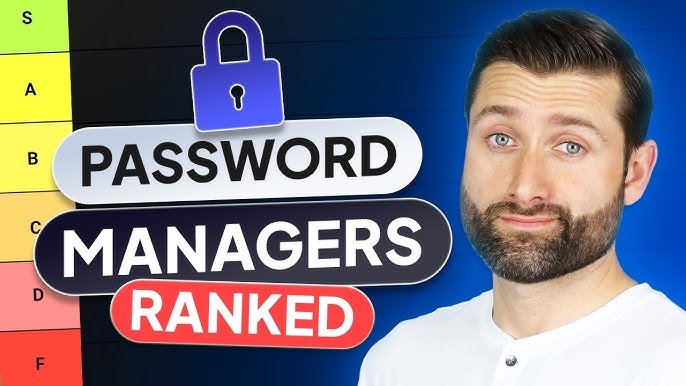

Struggling to remember complex passwords across dozens of accounts? You’re not alone – modern life demands strong security without the hassle. In this guide, we’ll review top password managers, highlighting features, security, and real-world value to help you choose wisely.
What is a Password Manager?
A password manager is secure software that generates, stores, and autofills strong, unique passwords for all your online accounts. It eliminates the need to reuse weak passwords, reducing breach risks significantly. Using advanced encryption like AES-256, these tools keep your data locked away, accessible only via a master password or biometrics.
They sync seamlessly across devices – phones, laptops, browsers – and often include extras like breach alerts and secure sharing. Think of it as your digital vault: one strong key unlocks everything safely.
Key Features to Look For
Top password managers share essential tools for everyday protection:
- Zero-knowledge encryption: Your data stays private; even the provider can’t access it.
- Autofill and form-filling: Speeds up logins on websites and apps.
- Passkey support: Enables passwordless, phishing-resistant logins – the future of auth.
- Breach monitoring: Scans for leaks and alerts you to change compromised credentials.
- Secure sharing: Safely share logins with family or teams without exposing passwords.
- Cross-platform apps: Works on Windows, macOS, Android, iOS, and browsers.
Bonus features like email masking or 2FA built-in add extra layers without complexity.
Best Password Managers in 2026
Here are standout options based on security, usability, and value:
NordPass – Best overall for most users.
User-friendly with XChaCha20 encryption, unlimited storage on free tier, and breach scans. Premium adds emergency access and 3GB file storage for $2.99/month. No breaches ever, SOC 2 certified.
1Password – Polished for families and pros.
AES-256 encryption, Watchtower alerts, and Travel Mode to hide vaults. Starts at $2.99/user/month; excels in sharing and compliance (GDPR/SOC 2). Trusted by millions with zero major incidents.
Bitwarden – Top free/paid value pick.
Open-source, self-hosting option, and passkey support. Free for unlimited devices; premium ($10/year) unlocks 2FA and file attachments. Audited regularly for global teams.
Dashlane – Feature powerhouse.
AI autofill, built-in VPN, and dark web monitoring. Premium from $3.33/month; ideal if you want all-in-one security without juggling apps.
Keeper – Enterprise-ready security.
Passwordless logins and granular permissions. Family plans from $2.92/month; strong for businesses with audit logs.
All prioritize end-to-end encryption and independent audits for trust.
Comparison Table
| Manager | Free Tier | Price (Annual) | Encryption | Passkeys | Breach Scan | Platforms |
|---|---|---|---|---|---|---|
| NordPass | Yes | $23.88 | XChaCha20 | Yes | Yes | All |
| 1Password | No | $35.88 | AES-256 | Yes | Yes | All + Watch |
| Bitwarden | Yes | $10 | AES-256 | Yes | Premium | All + Self-host |
| Dashlane | Limited | $39.96 | AES-256 | Yes | Yes | All + VPN |
| Keeper | Trial | $34.99 | AES-256 | Yes | Yes | All |
Pros and Cons
NordPass: Pros – Intuitive, affordable, future-proof. Cons – Fewer enterprise tools.
1Password: Pros – Feature-rich sharing, compliance-focused. Cons – No free tier.
Bitwarden: Pros – Transparent open-source, cheap premium. Cons – Interface less polished.
Dashlane: Pros – Extras like VPN. Cons – Pricier for basics.
Keeper: Pros – Strong business features. Cons – Steeper learning curve.
Practical Tips for Using Password Managers
- Generate 16+ character passphrases with symbols – let the tool handle complexity.
- Enable 2FA on your master account for double protection.
- Update weak/reused passwords first via the built-in health checker.
- Use breach alerts to act fast: change affected logins immediately.
- Share family vaults securely instead of emailing passwords.
- Test autofill on banking sites to ensure smooth mobile/desktop sync.
Start small: Import browser passwords, then build habits over a week.
Frequently Asked Questions (FAQs)
What’s the most secure password manager?
NordPass and 1Password lead with audited zero-knowledge encryption and no breach history.
Is there a truly free password manager?
Yes, Bitwarden and NordPass free tiers offer unlimited storage/sync – upgrade only for extras.
Can password managers be hacked?
Rarely, if you use a strong master password + 2FA. Providers can’t access your vault.
Do they work on mobile?
All top picks have Android/iOS apps with biometric unlock.
How to switch managers?
Export CSV from old tool, import to new – most guide you step-by-step.
Conclusion
The best password managers like NordPass, 1Password, and Bitwarden make security simple and scalable for 2026. Pick based on your needs – free value, family sharing, or pro features. Explore these tools today to lock down your digital life effortlessly.